
Seed research and production
One standard across hundreds of plots.
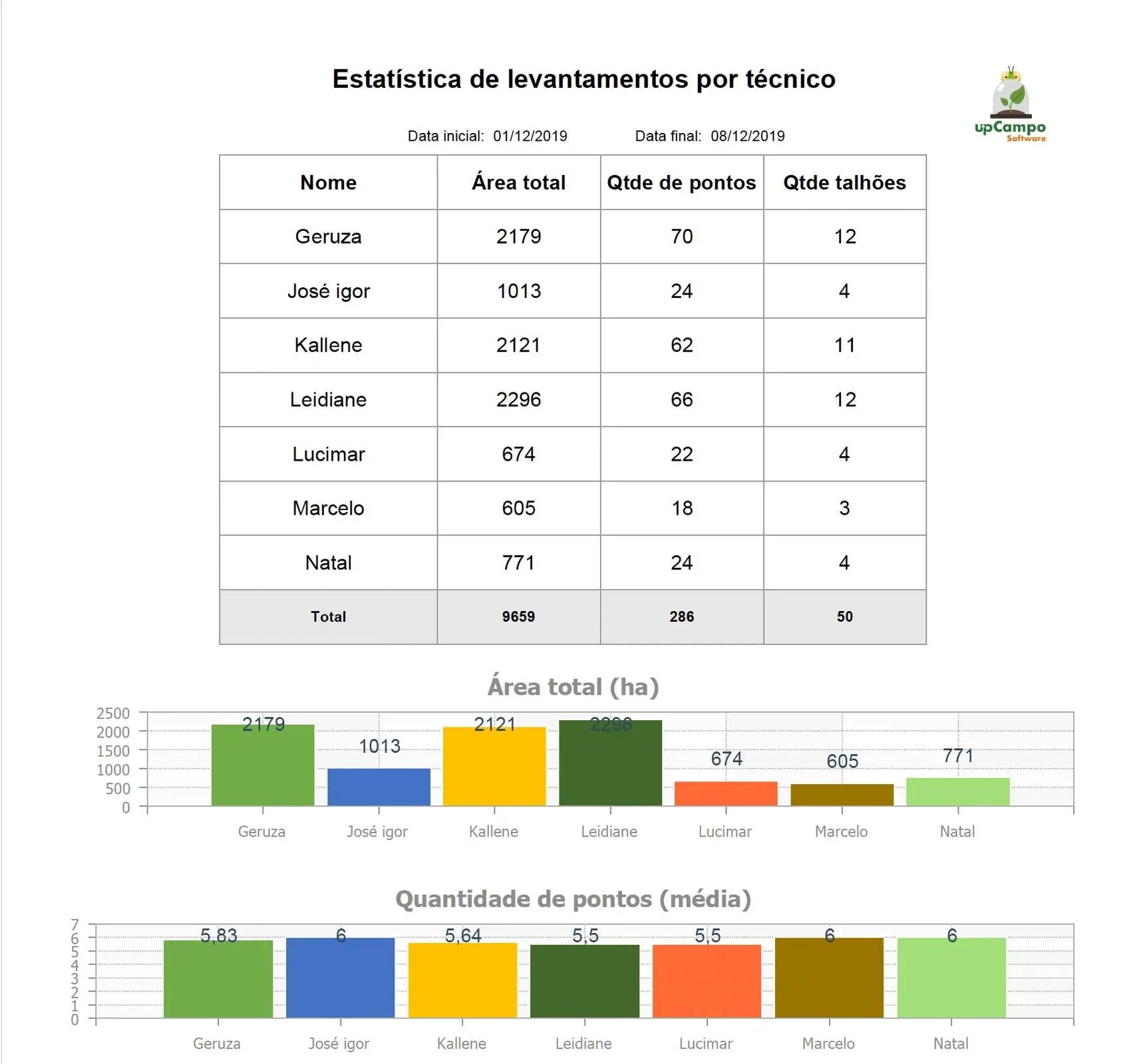
Checklists on every operation, product labels checked in the work order, restricted plots visible to the whole crew, and the chain from invoice to field ready for audit.
Research is not a commercial farm
Every plot run as defined.
Hundreds of small plots
Each with its own treatment, its own window and its own person in charge, instead of a few large fields.
One deviation ruins the trial
An off-standard rate, a missed window or an incomplete record compromises the entire result.
It has to be provable
Doing it right isn't enough: you have to show that you did, plot by plot.
The core problem
The value isn't in doing it fast. It's in doing it the same way every time.
Large, rotating crews spread across many plots tend to develop their own ways of doing the same task — and then the variation you see in the trial may come from the execution, not the treatment.
upCampo turns the procedure into something the platform enforces: the operation follows the definition and is recorded exactly as it was carried out.
The gain isn't control over the crew. It's confidence that the variation you observed came from what was being tested.
What the platform controls
Controls to keep it always the same.
Restricted plots the whole crew can see
Once the work order is entered, the platform marks the plot as restricted for the re-entry interval. It's a live dashboard, not a report. Sites put it on a TV and share the link — before entering any plot, people check it. Safety at the moment and place of the decision.
Checklists on every operation
The procedure becomes a step inside the activity. Whoever carries it out follows the same sequence, and what was checked is recorded along with the execution.
The product label inside the system
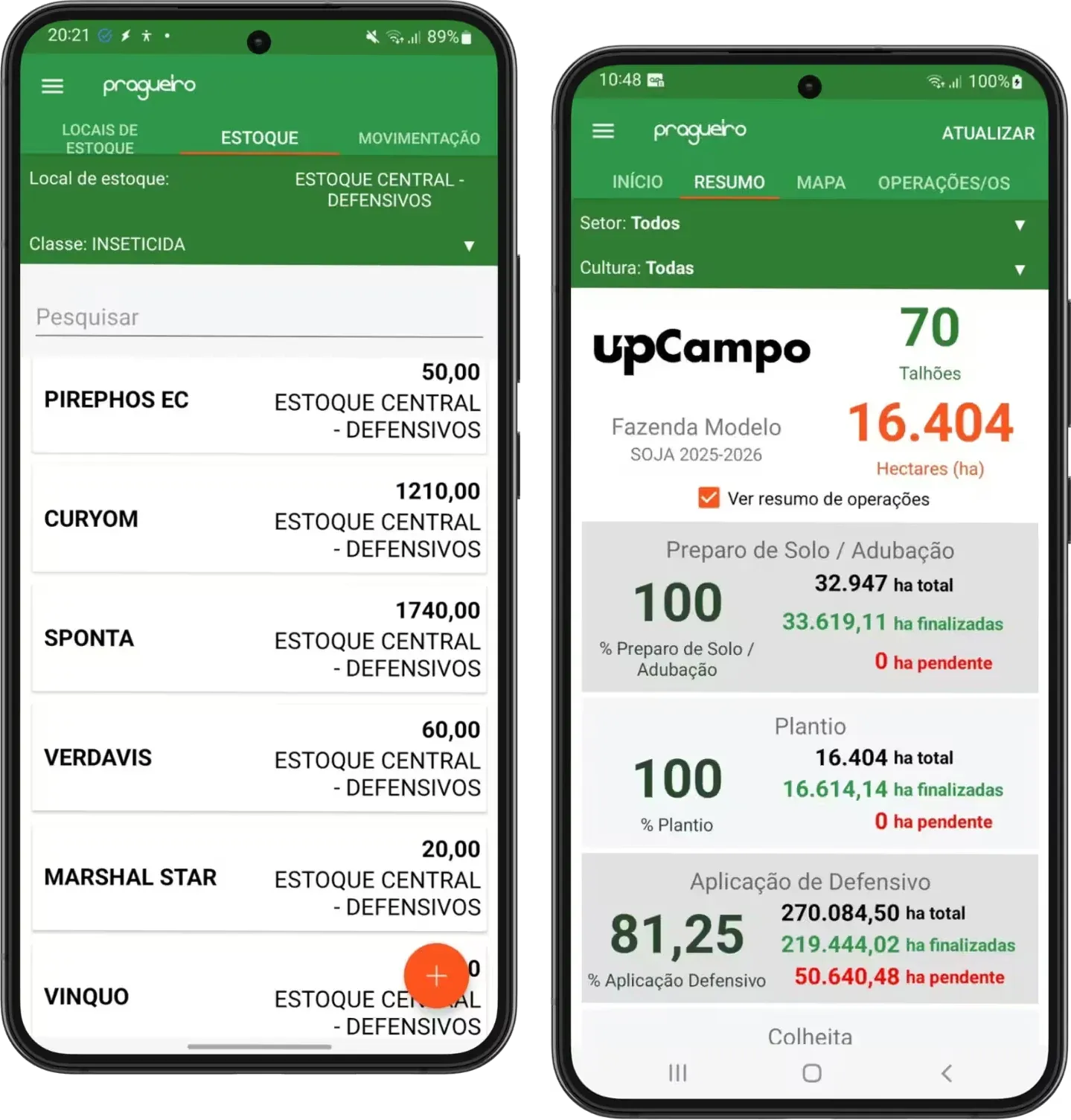
Each product has limits by farm and crop: minimum and maximum rate, number of applications and the interval between them. The work order checks these limits at entry and shows the result before the crew heads out — and the product can be blocked for the crop. Control doesn't depend on someone remembering the label.
People and machines, in detail
Who did the work, with which equipment, on which plot and when. That feeds cost tracking, audit evidence and a true read on crew productivity, all at once.
Organophosphate exposure
Each worker's exposure comes straight from the work order. Anyone at or above the limit shows up immediately, with nothing extra to enter.
Audits
The entire chain in one place.
An audit at a research unit doesn't just ask what was done. It asks how you prove it.
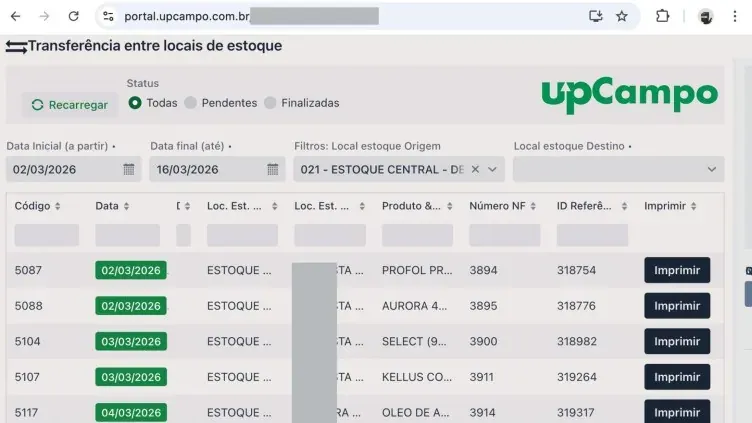
In upCampo, the whole chain lives on the same database: the product's inbound invoice → the work order that allocated it → the checklist for that activity → the execution record on the plot. Each link points to the next.
When an auditor asks for a plot's history, there's nothing to assemble: the information was linked from the start. That's why our research clients pass audits without turning them into a project.
Priced per plot, not per hectare.
A research unit rarely exceeds 300 hectares, but it runs hundreds of plots. Pricing is quoted based on each unit's structure.
Case studies
Multinational seed company: restricted fields in plain sight of the whole crew.
At the production units of a multinational seed company, most spreadsheets and several systems were retired: tillage, planting, application, harvest and irrigation are now managed in upCampo.
After an application, the field shows as restricted on a dashboard displayed on a TV everyone walks past — workplace safety built into the routine, not just on paper.
Read the multinational seed company case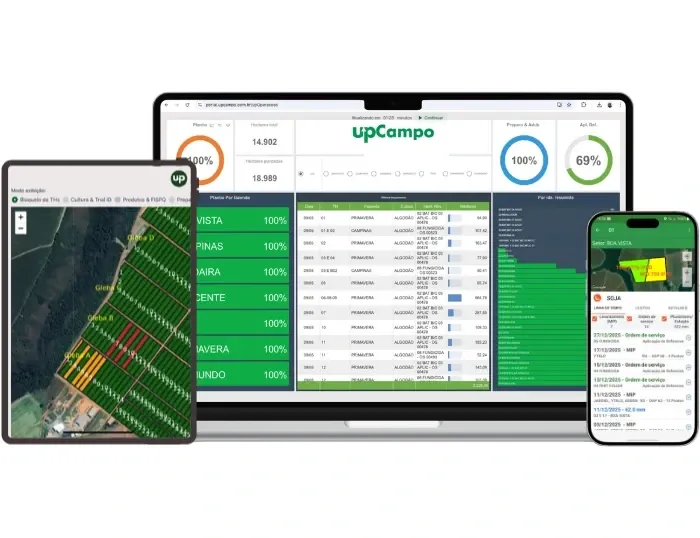
Switching systems
Switch systems without pausing your trials.
The upCampo team handles the switch alongside your farm, remotely.
Your data comes with you
Fields, master data and history: our team brings it all over from your current system.
Onboarding in days
Remote, with the upCampo team at your side, not a months-long project.
One dedicated person for your farm
People who understand operations, every day, not a call center.
FAQ for research and seed units
Does upCampo serve research units and seed production?
Yes. It's one of the segments the platform serves, with features built for highly complex operations: plot restriction after application, mandatory checklists per operation, rates that follow the label, traceability of people and machines, and running several seasons at once.
How does plot restriction after an application work in upCampo?
When the work order is entered, upCampo marks the plot as restricted at the scheduled date and time. The status is available in real time, and units usually display it on a TV and share the link with staff, who check it before entering the area.
How does the operation checklist work in upCampo?
Each operation has its own verification script, with questions defined by the client. It's filled out in the field in the app, during execution, and it records who confirmed each item and when — replacing after-the-fact entries from memory.
Does upCampo enforce product label limits?
Yes. Label parameters by crop, including minimum and maximum rate, maximum number of applications and the interval between them, are set up by farm and crop and checked when the work order is entered, with the result shown before the crew heads out. You can also block a product from being used on a crop.
How does upCampo track organophosphate exposure?
Exposure comes from work order execution: who applied, which product and for how long. For any period, the screen shows every worker on the farm and who is at or above the limit, with nothing extra to enter.
Does upCampo help with audit responses?
Yes. The full chain lives on the same database: the product's inbound invoice, the work order that allocated it, the checklist for that activity and the execution record in the field, with person, machine, plot and date. The same database also holds pest scouting, disease and weed monitoring, traps and weather data for each plot. Because the links are connected from the start, a plot's history doesn't have to be assembled later.
Can upCampo handle operations with hundreds of plots?
Yes. The structure was built for operations with many small areas and distinct treatments, keeping each plot's individual history. The platform also includes features that speed up repetitive tasks, like changing multiple materials in bulk.
Can I run more than one season at the same time in upCampo?
Yes. Concurrent seasons share the same database without mixing records. Each plot keeps its own history, and you can analyze a single season or the whole operation.
How is pricing set for a research unit?
Per plot, not per hectare. The area is usually small, but the number of plots is large, and that's what drives usage. Pricing is quoted based on each unit's structure, and users are unlimited.
Does upCampo integrate with the company's corporate system?
Yes, where a ready-made integration exists, and for everything else the public API is documented. Field operations stay in upCampo, and the data flows on to the corporate system.
Can I bring over the history from my current system?
Yes. Fields, master data and history from your current system are brought over during onboarding, with the upCampo team alongside. Your farm doesn't start from scratch.
Does the upCampo app work without internet in the field?
Yes. After the first login with internet, records are made with no signal and sync once the device is back online.
1 free month
When someone asks for a plot's full history, is the answer ready?
One free month on your whole farm, no contract to sign. The month starts at onboarding. Leave your name, WhatsApp, email and area: we'll reach out to set up the farm with you.