
Operations management
From work order to cost per field.
Cost, inventory, and season results come from the work order carried out in the field, not from office data entry. The crew gets the order on WhatsApp, logs it on their phones even without a signal, and the field comes out with its cost.
The heart of the farm
Everything starts with the work order.
Inventory, cost, machinery, crews, prescriptions, and UPí itself all come from the same record: the work order carried out in the field. Finance gets the real number instead of an estimate.
Every activity counts
Machines with or without onboard computers, crews on foot, backpack sprayers, and contractors all go on the same order. If you run John Deere or Solinftec, that data comes along too.
Nothing to install
Your crew uses the phones they already have. No hardware on the machines, no antennas, no towers.
Cost during the season
Product leaves inventory when it's applied, and the cost is split by field area. You see cost as the season unfolds, not just at closing.
Planning
The crew knows the plan before leaving.
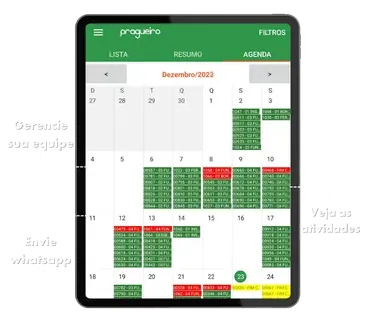
Plan with the person in charge, field, product, and machine. The order reaches whoever does the work on WhatsApp, automatically or when you send it, and comes back with what was done: area, hours, machine, and consumption.
- Activity calendar by farm and by season
- Planned vs. actual: planned area, worked area, and percent complete
- Tillage, planting, spraying, harvest, irrigation, and manual work
Field app
On the phone of the operator.
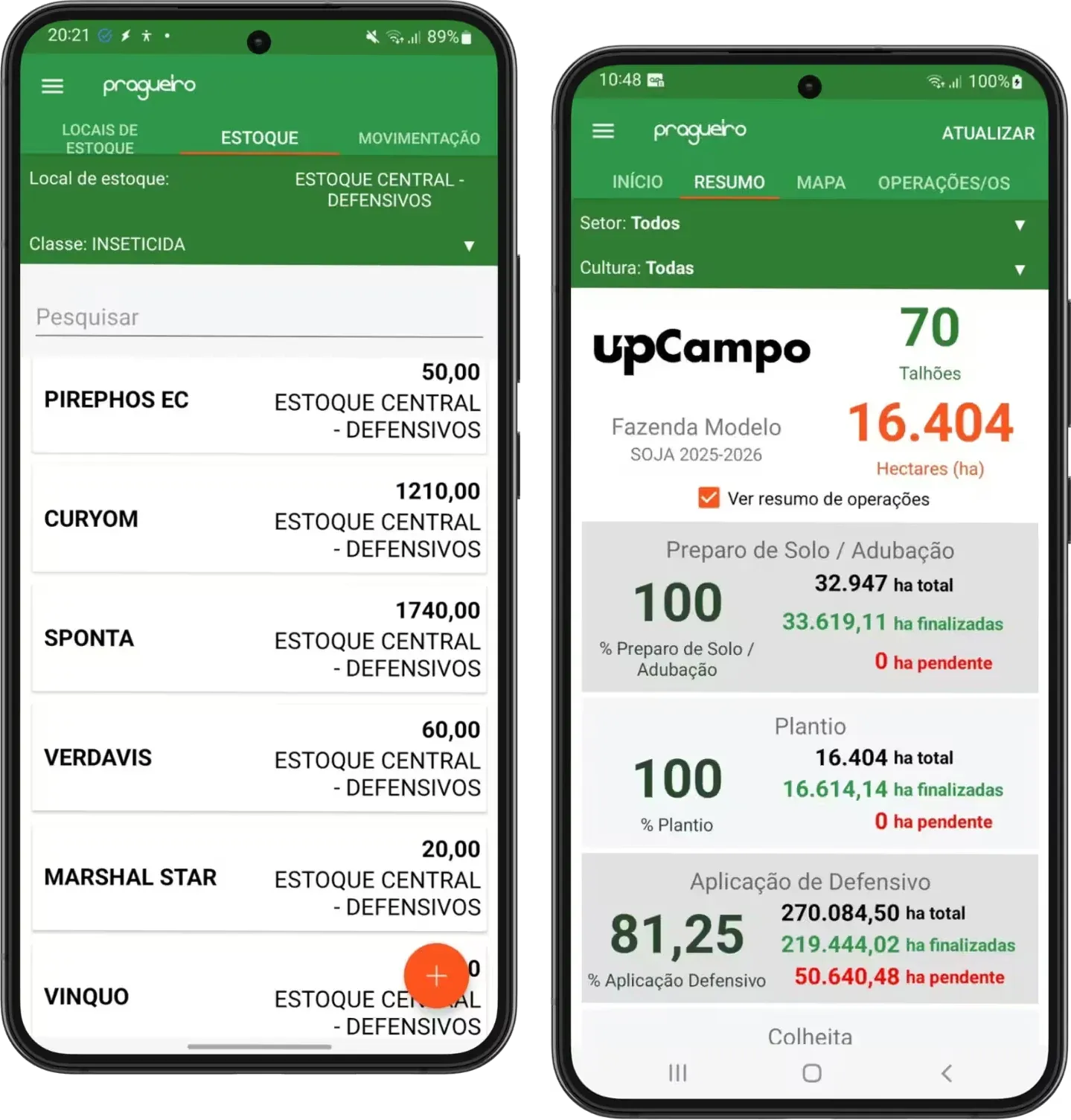
The operator receives the order and logs what was done and what was used, even without a signal. The warehouse keeper checks inventory and records issues in the same app, and the manager tracks how much of each operation is complete.
- Syncs on its own when the network is back
- Inventory by location, with each product's balance
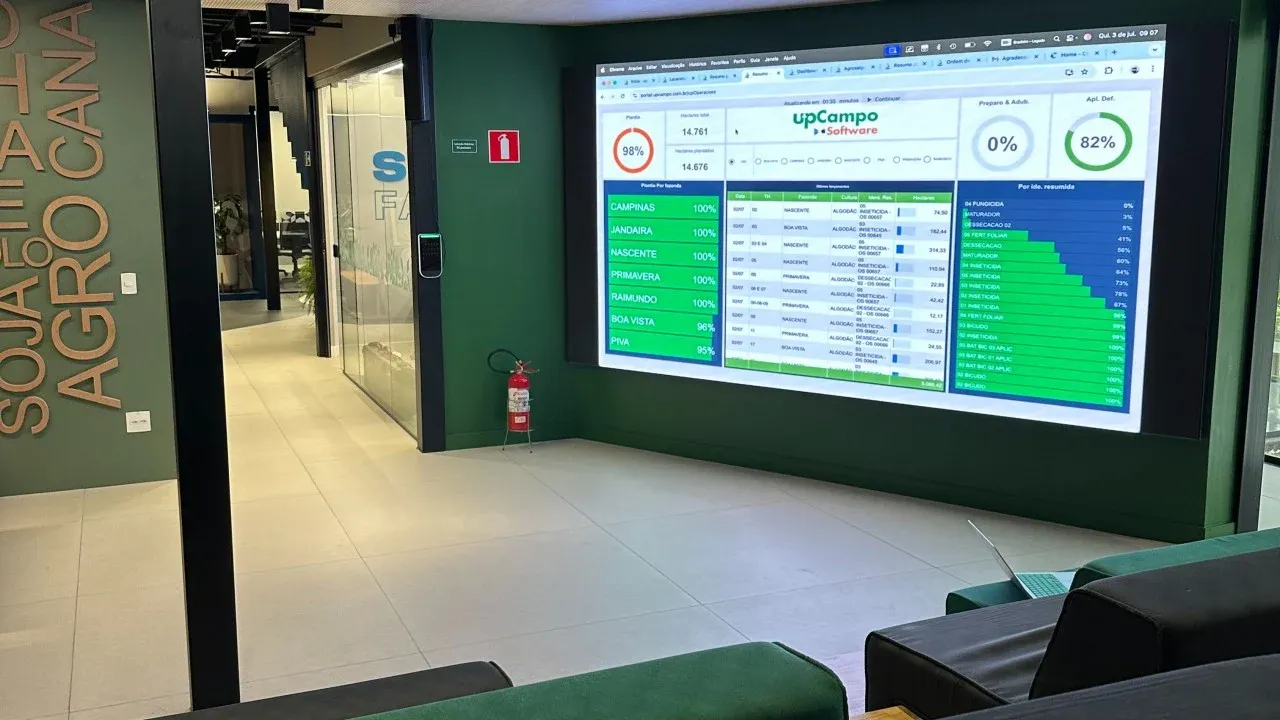
- Farm summary: planting, spraying, and harvest in progress
What the operation gives back
One work order, books closed.
The invoice adds to inventory, the work order draws it down, and the cost lands on the field, with no re-typing. Transfers between locations, product loans, and stock counts keep the balance matching what's in the shed.
Cost per field
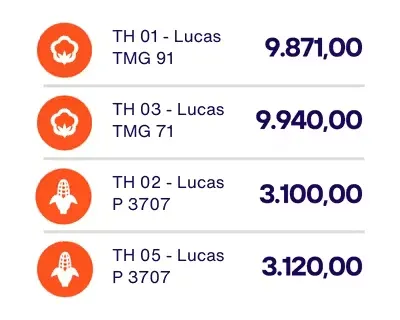
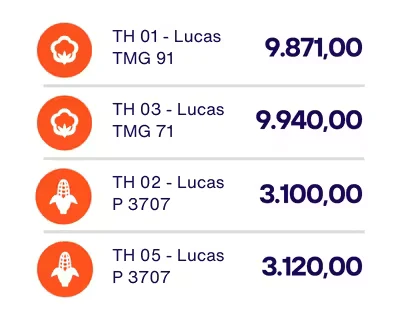
Product entered on the order is allocated across fields by area. The season's cost adds up without a spreadsheet.
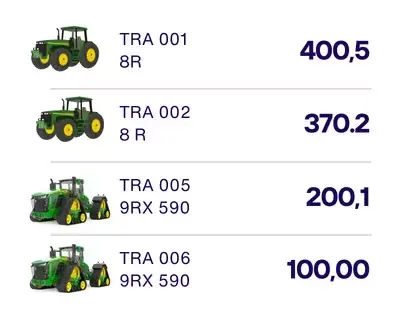
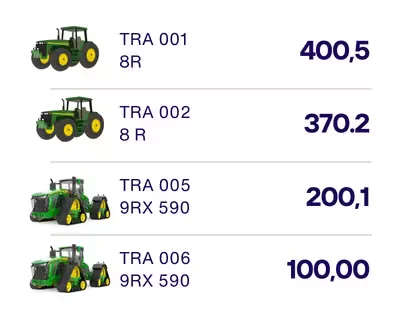
Hectares per machine
The output of each machine and operator, to compare crews and plan the next window.
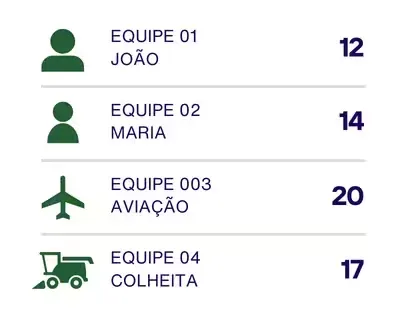
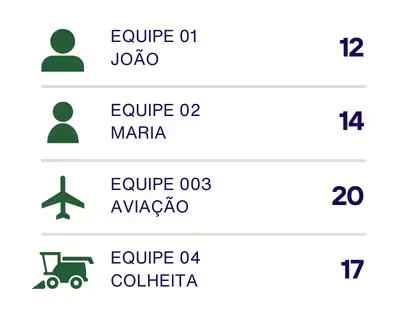
Hours by crew and by machine
Who worked, where, and for how long: the starting point for any conversation about productivity.
For the agronomist
The product label, checked on the order.
From up.Monitora scouting to the work order: the recommendation becomes an order within what the label and the prescription allow, without relying on whoever enters it to remember.
How the work order checks the label, in the Help Center →Rate within range
Each product has a minimum and maximum rate per hectare, by farm and crop. The work order checks it and shows the result as it's entered.
Number of applications and interval
How many times the product can be used in the season and how many days must pass between one application and the next.
Prescription with balance
The order draws down the agronomist's prescription. With balance control on, nothing is applied beyond the approved amount, and the responsible agronomist is on record.
Nozzle and spray conditions
The order records the spray nozzle and the weather at the time of application, along with the parameters the activity type already sets.
Real-world operations
Work orders already running in the field.
- 72,000+
- activities logged
- 16+ million
- cumulative hectares in work orders
- 13,000
- work orders in a single cotton group
UPí on WhatsApp
Ask and log it by chat.
On the full platform, UPí answers questions about the farm's activities and inventory and logs fueling and work orders on WhatsApp, by text or voice message.
Meet UPí UPí — upCampo's AIonline
What activities got done today?
17:433 operations were logged today:
17:43
🌾 Cotton Harvest — 157.91 ha
🧪 Crop Protection Application (Chemical Burndown) — 220.08 ha
🌿 Cotton Stalk Destruction — 114.91 hahow much decorum do we have?
17:44Current DECORUM balance: 6,280.00 L
17:44
✅ | Avg. cost: R$ 14.28/LFueled the ranger, 41 liters, at station 1, odometer 47984
17:45
17:45Fuel entry
🚙 Equipment: RANGER (VEI0009)
⛽ Fuel: DIESEL S10
🏪 Station: DIESEL STATION 01
🔢 Liters: 41.00
📊 Meter: 47,984
✅ Fueling 0043 logged!
Integrations
Works with what your farm already uses.
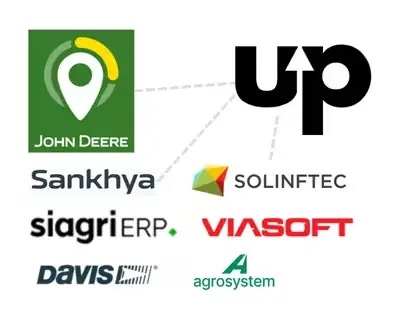
Finance, tax, and accounting can stay in the ERP your farm already uses: the work order sends over the finished number. Operations also exchange data with John Deere Operations Center, Solinftec, and Davis and Agrosystem weather stations.
For anything without a ready-made integration, the public API is documented and open.
- ERP: Sankhya, Aliare (Siagri), and Viasoft
- Machinery: John Deere Operations Center and Solinftec
- Weather: Davis and Agrosystem stations
Case studies
Organized operations, season after season.
Grupo C. · Lucas do Rio Verde (MT, Brazil)
13,000 work orders and an integrated John Deere fleet, across 16,000 hectares of cotton.
Grupo A. · Formosa (GO, Brazil)
Started with scouting and moved on to work orders that draw down inventory, integrated with Siagri.
Grupo L. · Tapurah (MT, Brazil)
About 20,000 hectares of cotton and grain, from scouting to the bale, integrated with Siagri.
Getting started
Three steps to your first work order.
1 free month
On the whole farm, with no contract to sign. Request it through the form; the month starts at onboarding.
Set up with us
Fields, products, equipment, and crews set up remotely with the upCampo team. Usually within 1 week.
Head to the field
In the app store, search for Pragueiro upCampo. The operator logs in with the farm's user and logs the first work order right away.
up.Operações FAQ
Does the work order reach the crew on WhatsApp?
Yes. The WhatsApp notice can go out automatically when the order is created or be sent manually, whenever you choose. Whoever does the work receives the order and logs it in the app, even without a signal.
How is cost split across fields?
Products and services entered for the whole order are allocated across the order's fields by each field's area. Cost per field and per activity comes straight from completed orders, and price corrections can be made in bulk, including on orders already closed. See how to calculate cost per field.
Is the work order tied to the agronomic prescription?
Yes. Each application draws down the balance of the agronomist's prescription and, with balance control on, nothing is applied beyond the approved amount. The control covers the prescription's total balance, not the rate per hectare in each field: the rate is covered by the label check on the work order itself.
Do I need a large team to keep the system up to date?
No. A single completed work order draws down inventory, splits the cost by field area, and records hours and hectares by machine and by crew. Nobody enters the same thing twice. See how to manage input inventory.
Will my employees be able to use the system?
Yes. The app and the system were built specifically for farms, with attention to every detail to make them easy to use. On top of that, during onboarding we train the whole team and stay with you throughout the season.
I already have an ERP. Why up.Operações?
Because cost starts in the operation. Your ERP keeps doing finance, tax, and accounting well; up.Operações handles where the number begins: the work done in the field, with the product that left inventory, the machine, and the crew. Where there's an integration, such as Sankhya, Siagri, and Viasoft, the two exchange data, and the ERP gets the real cost instead of an estimate.
Do I need telematics to use up.Operações?
No. Every activity goes on the work order logged on a phone: machines with or without onboard computers, crews on foot, backpack sprayers, and contractors. upCampo has no hardware of its own to install. If your farm already has telematics, it adds to the picture: the integration with John Deere Operations Center and Solinftec brings machine data into the same operation.
My farm works differently. Will the solution fit?
No two farms are alike, which is why the platform offers many ways to customize it. There are already more than 100 reports and many dashboards, which can be adjusted to each operation's needs. We also work closely with growers, to understand how each farm runs and the best way to structure its management.
1 free month
Organize your farm's operations for a free month.
One free month on the whole farm, with no contract to sign. The month starts at onboarding. Leave your name, WhatsApp, email and farm size: we'll reach out to set up the farm with you.